
I’ve never owned a photo printer, or at least one dedicated solely to printing photos, so this is something completely new to me. Since getting back into photography, I have been wanting to get some of my photos printed, and I even went to a print shop, but the machine wouldn’t see my SD card.
I was intrigued by the Selphy’s convenience, especially its battery-operated feature. Unexpectedly, my mum gifted it to me for Christmas, and I couldn’t have been happier.
My first impressions were somewhat negative due to the fact that the printer came with no ink or paper. The reason why I was upset by this is because I know that Canon desktop printers come with a full set of inks, whereas the Selphy, a photo printer, especially at this price point, does not come with anything to use straight out of the box was very disappointing. When I realised this problem, I decided to pick up some third-party ink and paper from Amazon, just in case I was unhappy with the printer.
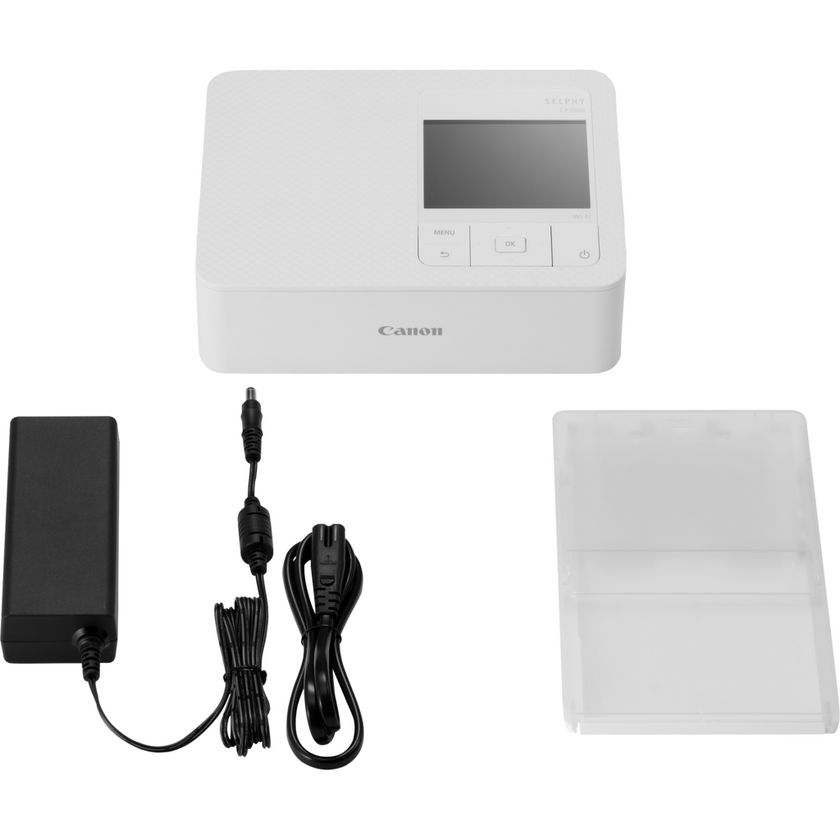
When my ink and paper finally arrived, I got straight to work on making my first prints.
Now that the printer is up and running, my first true impression is that it’s incredibly user-friendly. The print quality is fantastic, and the speed of each print is great until it applies the final finish. There is nothing greater than holding a physical copy of your work, and being able to do so yourself is just great.
I’m not a professional, so to me, this printer puts out amazing prints.
My one complaint is that it can take a while to connect to the printer and send prints to it, but it’s not a difficult process, so I don’t mind it too much.
I did try to connect it to my PC via WiFi, but there is no driver or software for it, and I didn’t want to waste a print if it went wrong, so I stuck to printing via the mobile app.
I highly recommend the Canon Selphy for anyone looking to print 4×6 prints at home. It’s great to watch your prints slowly come to life, layer by layer. If you’re looking to make mobile prints, you can pair the Selphy with the battery pack to make prints on the go.
If you’d like to see this printer in action, I highly recommend happy2find on Instagram. They use it to print street portraits on their reels.
Thanks for reading my first impressions of the Canon Selphy. While I don’t plan on posting many reviews on this site, if something else catches my attention, I’m more than happy to share my experiences with you.
Let’s connect on Threads and Instagram!
 SB.P
SB.P 